This is an old revision of the document!
Cyber Alarm!

<markdown> The modern world is a busy place and not without danger. Computers are part of every aspect of our lives, and global networks connect them all around the planet. In this world, the threat of *cyber* is ubiquitous at every given moment.
To stand a chance in face of thees dangers, you need a way to react in those situations. That is why you should always carry with you a Cyber Alarm Button!
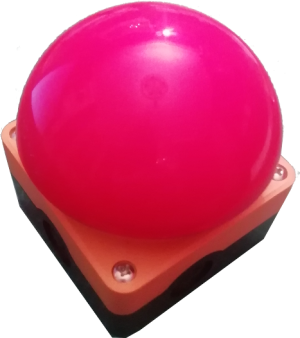
The *deep cyber* Cyber Alarm Button sends out an alert message with the simple push of a button. Your emergency situation is communicated using high tech long range transmission technology from a low power, long life, battery powered, water prove (IP67) alert device. Also it is big and red.
# A Big Red Button The Cyber Alarm is a very basic LoRaWAN show case device. It is operated by a simple Arduino using a pre-existing LoRaWAN library, so only very few code adjustments had to be added to the example sketch. Transmission is triggered by an interrupt that is triggered with a push button on a GPIO of the Arduino. It consists of only very few hardware parts and besides the LoRaWAN-module they are all pretty basic. The device is powered by two normal AA batteries.
## LoRaWAN LoRaWAN is a long range radio communication technology that is optimised for low power devices. The tradeoff is a very limited data rate (we are talking bytes here, not kilobytes). It uses only publicly available frequencies, and you can (and often must) build your own network by setting up Gateways that connect to the internet. There exists a community called *The Things Network* that is building a free and open LoRaWAN network for everyone to use. Think freifunk for devices. If you want to learn more you can scroll to the bottom of this page; you will find the recording of a talk at 35c3 where we gave a short introduction to LoRaWAN.
## The parts
</markdown>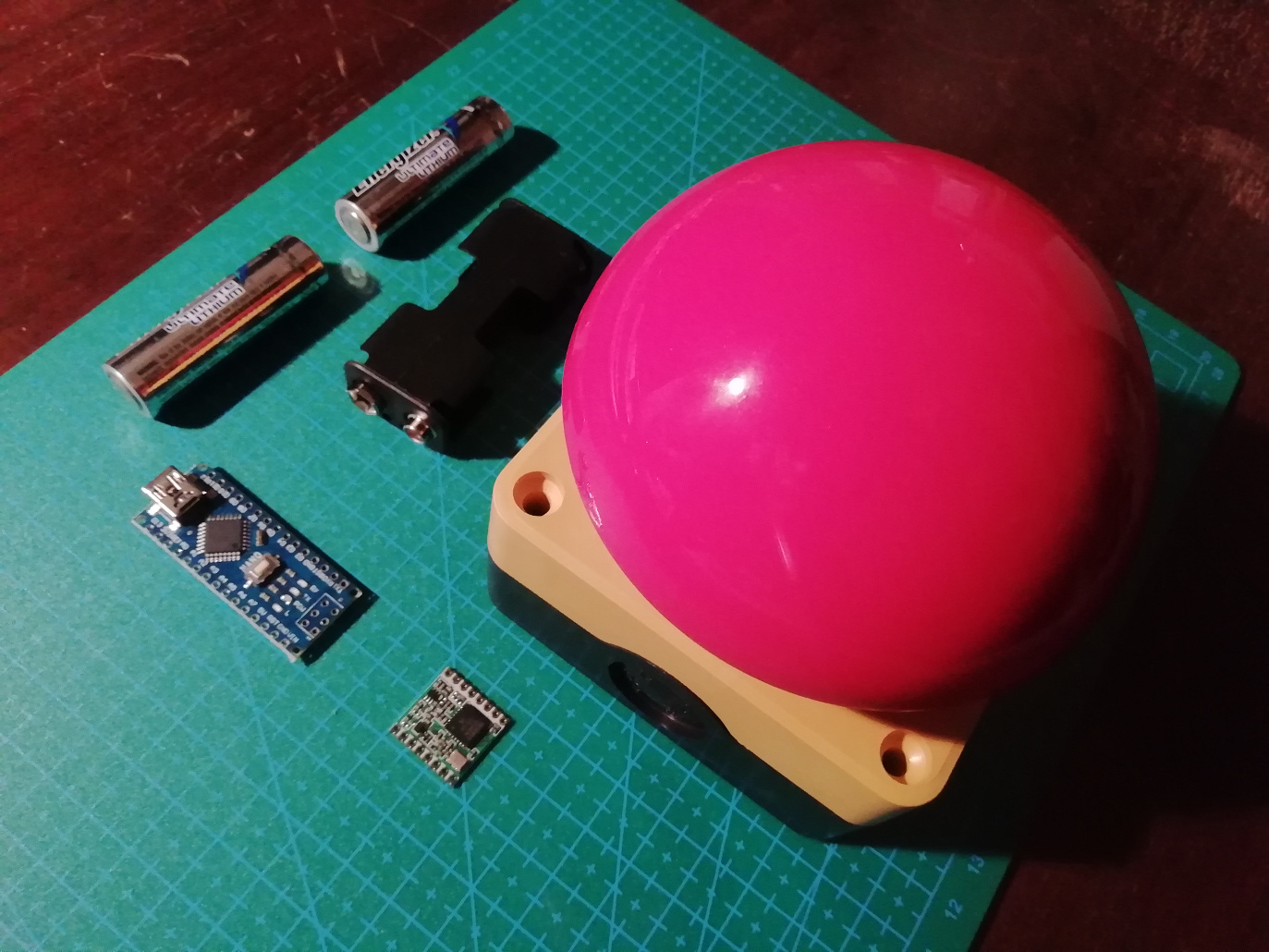 <markdown>
What you see in the picture is all that is needed:
<markdown>
What you see in the picture is all that is needed:
* 1x Arduino Nano * 1x sx1272 * 1x Button (AS22-FAK542-Y IP67) * 1x Battery holder, 2xAA * 2x AA battery
Well, besides a hole bunch of wires and a bit of soldering tin, of course.
With the model I chose, the button did cost about twice as much as all the other parts combined. But then again I am using the button also as the case. And it is big and red. The other parts cost me about 10€. So yeah, the button costs about 30€.
# TODO WIP
Arduino Sketch: https://github.com/deepestcyber/cyberalarm-button
# Presentation at 35c3 The Cyber Alarm was used in a talk about LoRaWAN that we were able to hold at 35c3 – thanks to Chaos West for hosting us on their stage! Sadly, the first few minutes of the recording are audio only. But the Cyber Alarm can be seen.<br> https://media.ccc.de/v/35c3chaoswest-27-long-range-radio-communication-for-everyone-using-lorawan- </markdown><html> <iframe width=“840” height=“473” src=“https://media.ccc.de/v/35c3chaoswest-27-long-range-radio-communication-for-everyone-using-lorawan-/oembed” frameborder=“0” allowfullscreen></iframe> </html><markdown>
</markdown>
